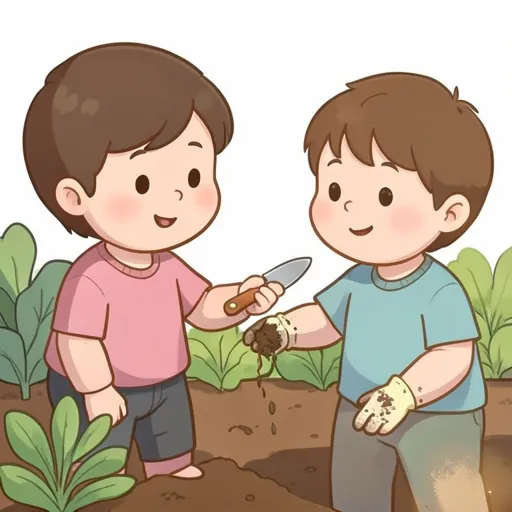
Garden Helper: Ask for What You Need
- Game
- PreK–2
- 10 pages · 8 min
10 garden moments where the student picks the core word to ask with: more, help, open, go, stop, drink and all done. Built for grades PreK–2, it works in pull-out, push-in, or teletherapy, with 10 screens, in about 8 minutes. Skill tags on this board: requesting, core vocabulary. Plays in the browser with no login; add students to score trials against IEP goals.
Quiz
Garden Helper: Ask for What You Need
Your watering can is empty. What can you say?
Tap your answer.
Session summary (SOAP)
Stays on this screen. Nothing is saved or sent.
Mark a card Correct, Correct with cue or Incorrect and the summary writes itself here.
How to run it
Read the moment aloud, then model the answer on the student's device or board as well as on the screen: touch 'open' while you say it. Accept a one-word request, then expand it ('open gate'). For a student who already combines symbols, ask for two words before choosing.
Cueing ladder
Start at the top. Add support one step at a time.
- IndependentSet up the moment, then wait with an expectant look for 10 seconds.Log as correct
- GesturePoint toward the device or the right area of the page.Log as cued
- ModelTouch the symbols on the device yourself while you say the message.Log as cued
- Partial physicalOnly if the team agrees and the student accepts touch: a light touch at the elbow toward the page. Never press the symbol for them.Log as cued
Adjust it
Fewer symbols on the page, and model the message several times before you expect it.
Wait longer before prompting, or expect one more symbol in the message.
Matching IEP goal
During structured activities, Student will use their AAC system to make a request in 8 of 10 opportunities across 3 consecutive sessions, given no more than a gestural prompt.
Send it home through the parent portal →About this activity
Ten moments in a garden where a child needs something: an empty watering can, a shut gate, a stuck bag of seeds, a hot afternoon. For each, the student picks the core word that asks for it: more, help, open, go, stop, drink or all done. The same seven words come back again and again, which is how core vocabulary is learned.
What to listen for
Notice which words come easily and which the student avoids. Help and stop are often the hardest to use, though they matter most. Watch whether the student finds the word on their own system as well as on the screen.
Carrying it home
In a real garden or at the kitchen sink, set up the same moments: hand over an empty cup and wait for 'more', or close a box and wait for 'open'. Model the word on the device if your child uses one.
What's in this activity
- Your watering can is empty. What can you say?
- more
- stop
- all done
- The gate is shut and you want to go in. What can you say?
- drink
- open
- more
- The bag of seeds is stuck. What can you say?
- go
- all done
- help
- You are hot and thirsty in the sun. What can you say?
- drink
- open
- stop
- The wagon is ready to roll. What can you say?
- more
- go
- help
- The hose is spraying you. What can you say?
- go
- more
- stop
- You finished planting and want to go inside. What can you say?
- all done
- more
- open
- You want another strawberry. What can you say?
- stop
- more
- go
- The shovel is too heavy to lift. What can you say?
- drink
- all done
- help
- The box of flowers has a lid on it. What can you say?
- open
- stop
- drink
Questions
- Why only seven words?
- Core words like more, help and open work in hundreds of situations. Practising a few in many places is the goal, not learning many words once.
- Can a child who speaks use this?
- Yes. It works as a spoken requesting game too, and the expansion to two words suits early talkers.
Use this board with your caseload
With a free account, every correct, cued and incorrect mark is saved to the student and scored against their IEP goal, with the data written up for you. Assign it as home practice through the parent portal.
Track progress freeFree for SLPs. No card, no trial clock.