Build a Two-Word Classroom Message
- Game
- K–2
- 1 page · 8 min
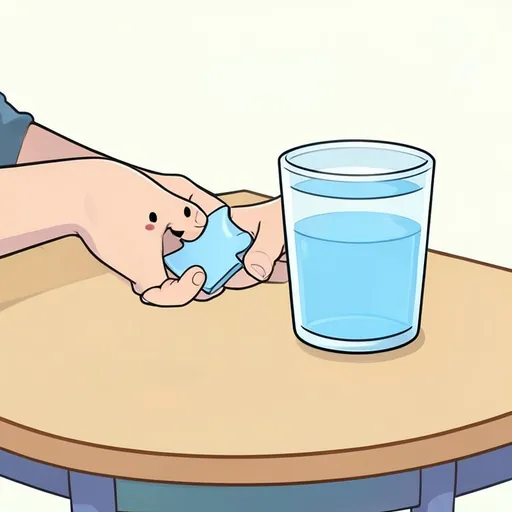
Twelve two-word classroom messages to build by joining a core word to a partner: want + water, need + help, go + outside, stop + running, more + bubbles, like + music, help + open, all done + lunch, my turn + game, look + bird, wait + line, and come + here. After each pair snaps together, model the message on the device or with speech ("I want water") and use it in a real routine once that day.
Puzzle pairs
Build a Two-Word Classroom Message
Pick a matching pair — tap either side first. 0 / 12 pairs matched
How to run it
The student joins a core word to a partner word, then says the two-word message out loud or on a device. After a pair snaps together, use that same message once in a real classroom routine. Work through the set once for a baseline, then return to the cards that were hard. Keep your own data: mark independent, cued, or modeled trials in your session notes. If the student is tired, do a shorter set rather than rushing the last cards.
Cueing ladder
Start at the top. Add support one step at a time.
- IndependentThe student uses the core word or two-word message on their turn, with speech or the device. Wait 5 seconds.Log as correct
- Point cuePoint to the card or the device button and wait again without saying the word.Log as cued
- Aided modelModel the message once on the device or with speech, then wait for the student to try.Log as cued
- Co-constructBuild the message together, then have the student produce it again on the next turn.Log as cued
Adjust it
Offer two picture choices and accept a single core word as the whole turn.
Ask for a slightly longer message that still uses the same core word in a real routine.
Matching IEP goal
Given core-word picture supports, Student will use a targeted core word or two-word message in 8 of 10 opportunities across 3 consecutive sessions, given no more than a point cue.
Send it home through the parent portal →About this activity
Build a Two-Word Classroom Message is a English two piece match board for kindergarten through grade 2 students. Twelve two-word classroom messages to build by joining a core word to a partner: want + water, need + help, go + outside, stop + running, more + bubbles, like + music, help + open, all done + lunch, my turn + game, look + bird, wait + line, and come + here. After each pair snaps together, model the message on the device or with speech ("I want water") and use it in a real routine once that day. Targets on the board include want + water, need + help, go + outside, stop + running, more + bubbles, and like + music. Use it in a short therapy block or a station, and score the productions or responses yourself.
What to listen for
Listen and watch for the skill named in the description, not only whether the student finishes the board. Notice whether errors cluster on certain items (for example want + water) or show up across the set. For pictured items, confirm the student is talking about the picture you meant. If a listening item is missed, replay it once before you show the words. Write down the cue level that made the next try successful so you can fade it next session.
Carrying it home
Pick three items from the board and use them in a real routine at home or in class the same day. An adult can show the picture, wait, and then model the word or sentence if needed. Keep practice short and specific: one or two minutes on want + water is enough. If you send the link home, tell families the board is a practice tool, not a test, and that the SLP will interpret the responses.
What's in this activity
- want – water
- need – help
- go – outside
- stop – running
- more – bubbles
- like – music
- help – open
- all done – lunch
- my turn – game
- look – bird
- wait – line
- come – here
Questions
- Who is this for?
- This board is for kindergarten through grade 2 students working on the skills in the description, including want + water, need + help, go + outside, stop + running, more + bubbles, and like + music.
- Is it free?
- Yes. It plays free in the browser with no login. An account adds session data, goal scoring, and assignment to a student.
- Can I change the items?
- Yes. Copy the activity to your library or rebuild the list in Activity Studio with the same template. Keep the same target and grade band so the pictures and wording still fit.
Use this board with your caseload
With a free account, every correct, cued and incorrect mark is saved to the student and scored against their IEP goal, with the data written up for you. Assign it as home practice through the parent portal.
Track progress freeFree for SLPs. No card, no trial clock.